
Halding Foto / Event guides

Conference checklist
for your next event.

I am Mark, photographer and filmmaker at Halding Foto. I work at many events as an event photographer. This practical conference checklist helps you plan the day and consider photography from the beginning.

Organise the venue, programme, AV, catering, photography and film. Use the guide before, during and after the conference, and download a free event plan with a run sheet and budget.

Go to the checklistDownload the free event plan
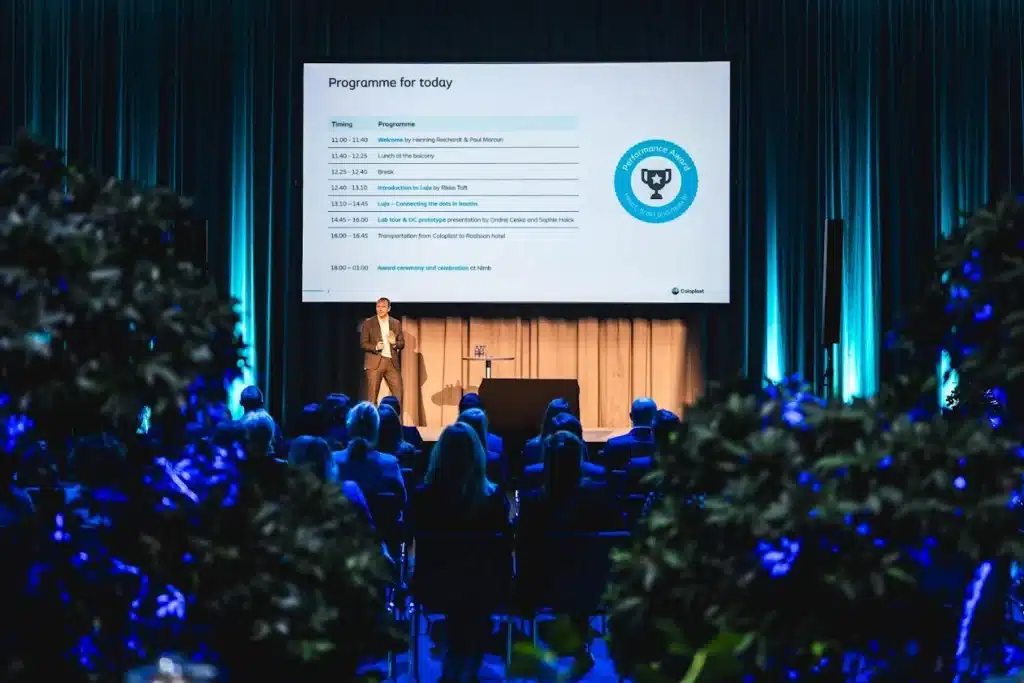
A presentation on stage at a conference

Why I created this guide.

As a photographer, I need more than the address and start time. Who will be on stage? When do participants meet? Should the photographs communicate expertise, community or a new launch? These answers help me plan the coverage with you.

I have brought the key planning points together, with particular attention to the connection between the programme, technical production and photography. The aim is to make preparation easier and provide a better basis for photographs and films you can use after the conference.

Use this conference checklist freely within your team. The general advice also draws on the references at the end of the page. Agree specific AV solutions and venue requirements with your suppliers. Read about me and my work or explore how I photograph conferences.

Start with these six decisions.

  1. Purpose: What should participants be able to do, know or act on afterwards?
  2. Audience and format: Who is invited, and is the conference in person, online or hybrid?
  3. Date and venue: Does the venue suit your audience, programme and accessibility requirements?
  4. Budget: Who approves spending and changes?
  5. Responsibility: Who makes decisions before and on the day?
  6. Communications: How will invitations, photographs and films be used?

Jump to: before the conference · AV and technical production · photography and film · on the day · afterwards · free templates.

Before you book.

Assign an owner and deadline to each task. Start with the agreements on which the rest of the plan depends.

  • Confirm expected attendance and any parallel tracks.
  • Check for clashes with important events for your audience.
  • Visit the venue and discuss the stage, furniture, break areas, access, toilets and accessibility.
  • Ask the venue to clarify capacity, safety arrangements and any event-specific requirements.
  • Get access, setup, teardown and cancellation terms in writing.

Programme and people.

  • Confirm speakers, topics and time slots.
  • Choose a host to connect the programme. Agree a facilitator’s responsibilities if participants will work actively.
  • Set deadlines for receiving and testing presentations.
  • Allow breaks and time to move between rooms.
  • Assign hosts for registration and practical questions.
  • Agree invitations, registration, dietary requirements and a contact person.

Use the event run sheet to bring the team’s tasks together.

Prepare the budget before final bookings.

Obtain quotes for the venue, catering, AV and technician, speakers, facilitator, photographer, film production, transport and any accommodation. Include hosts, name badges, cleaning and teardown where relevant.

Check what the venue package already includes to avoid counting the same service twice. Compare quotes on the same VAT basis. Choose any contingency based on your specific risks and obtain budget approval.

There is no single standard conference price. Use actual quotes and record optional extras, additional hours and payment deadlines.

AV, screens and sound.

Send the programme and room layout to your AV supplier. Ask for a solution suited to the content and space.

  • Will presentations use a projector, screen or LED wall?
  • Can participants at the back read the content?
  • Which microphones do speakers, panellists and the audience need?
  • Does the quote include the mixer, speakers, cables and adapters?
  • Who operates the equipment and handles faults?
  • Is the stage lighting suitable for both the audience and cameras?

Test the complete signal path.

Test the actual computer, presentation and video with sound that will be used. Check power, internet where needed and a practical backup.

If talks will be recorded, agree an audio feed and sound check between the AV technician and film team. Good sound in the room does not automatically provide suitable recording sound.

Hybrid meetings and livestreaming also need a plan for cameras, platform, connection and online participants. Describe these requirements separately in the brief.

Plan photography and film early.

Send the programme to your photographer and explain which images you need for your website, LinkedIn, internal communications or next year’s invitation.

  • Prioritise speakers, participants, networking, sponsors and wide views.
  • Provide key people’s names and important timings.
  • Agree any group photographs and interviews.
  • Describe required formats and specific delivery deadlines.
  • Discuss staffing if several stages need simultaneous coverage.

Explore conference photography and event films for businesses.

Agree how the images will be used.

Agree purposes, channels and usage rights with the photographer. Also clarify who is responsible for attendee information, the lawful basis for processing and any necessary consent.

A sign at the entrance can inform guests about photography, but does not itself constitute consent. The Danish Data Protection Agency explains that publication must be assessed in light of the image and its purpose. Appoint a contact for guests with questions or specific concerns.

The photographer’s perspective: what should the images communicate?

A list of people is a useful starting point. Tell me which story you want to show as well. These four directions can guide the brief:

  • Expertise: presentations, relevant audience reactions and conversations about the content.
  • Community: participants meeting, collaborating and spending time together during breaks.
  • Setting and identity: wide views of the venue, stage and branding that should appear naturally.
  • What comes next: images for invitations, press, websites or social media. Mention any space needed for text or specific crops.

Choose the three most important subjects rather than giving every request equal priority. If you need a group photograph, schedule it with an agreed location and someone to help gather participants. I am happy to help make these practical arrangements before the day.

Final checks and the day itself.

  • Share the latest run sheet and contact list with everyone responsible.
  • Confirm speaker arrivals and running order.
  • Give catering the final attendance figure before the supplier’s deadline.
  • Complete sound, lighting and presentation checks before doors open.
  • Check registration, signs and name badges.
  • Appoint one person to approve programme changes.
  • Keep agreed access routes clear and follow venue safety instructions.

After the conference.

  • Check deliverables against your agreements.
  • Thank participants and send relevant materials.
  • Select images and clips for the agreed channels.
  • Follow up on new contacts and questions.
  • Compare actual costs with the budget.
  • Record what to repeat or change next time.

Plan follow-up communications before the event so your photographer and film team can capture what you need.

An event plan you can make your own.

Download the free English Excel file with three worksheets: Checklist, Run sheet and Budget. Assign tasks, owners and deadlines, and keep one shared version with your team. No sign-up is required.

The run sheet contains a fictional example you can edit. Budget amounts start blank and calculate quantity × unit price and variance against actual spending. Use your own supplier quotes and a consistent VAT basis. Amounts are in Danish kroner.

Download the Excel event plan

XLSX file. Open in Excel or import into Google Sheets. Adapt the examples to your event.

A presentation on stage at a conference

Planning questions.

How early should we start?

It depends on the size, venue and speakers. IDA recommends starting conference planning 9–12 months in advance. Treat this as a guide for larger events and set your own schedule around the bookings you need.

Do we need a facilitator or host?

A host introduces sessions and connects the programme. A facilitator can guide participants’ activities, for example in a workshop. Describe the responsibilities clearly so the person suits the format.

Can photography and film be included in one enquiry?

Yes. Send the programme, venue, date and required deliverables. If key moments need photography and filming at the same time, we agree priorities and staffing before the event.

Shall I photograph your conference?

I photograph conferences, receptions and company events and also create event films. We agree the key moments, image formats, usage rights and delivery before the day.

Send the date, venue, approximate timings and how you will use the material. I will suggest photography and film coverage suited to the assignment.

Get a photography and film quote

More tools for event organisers.

Continue with the event run sheet and free template or the company party planning checklist.

References and further reading.

Supplement your plan with IDA’s conference guide, Aarhus University’s conference handbook and Teletech’s AV project-management guide (in Danish). Adapt the guidance to your event’s size, venue and supplier agreements.

Written by Mark Skov Halding, photographer and filmmaker at Halding Foto. Updated 29 October 2026.